
Apply to train at NIH
Apply for a program by accessing the NIH application center (NIH-AC).
The Postbac Program, Summer Internship Program, Undergraduate Scholarship Program, and Graduate Partnerships Program (Institutional-only) all require a submitted application via the NIH-AC. Check out our extensive frequently asked questions list to support you in the application process.
Postdoctoral positions do not utilize the NIH-AC. Information on postdoctoral positions can be found here.
The NIH-AC has three steps required before you can submit a program application. These steps include the creation of an account, a profile, and an application. In this guide, we will walk through the differences in these steps to better understand the application process.
- Account: allows users to access to the NIH-AC website.
- Profile: stores user information about the account holder.
- Application: organizes user information that is required for program consideration.
Create an account
1. Use an approved sign-in option
Do not use options with a red "X" because these are designated for NIH staff.
We strongly encourage you to use an email address you will not lose access to, preventing any access issues in the future.
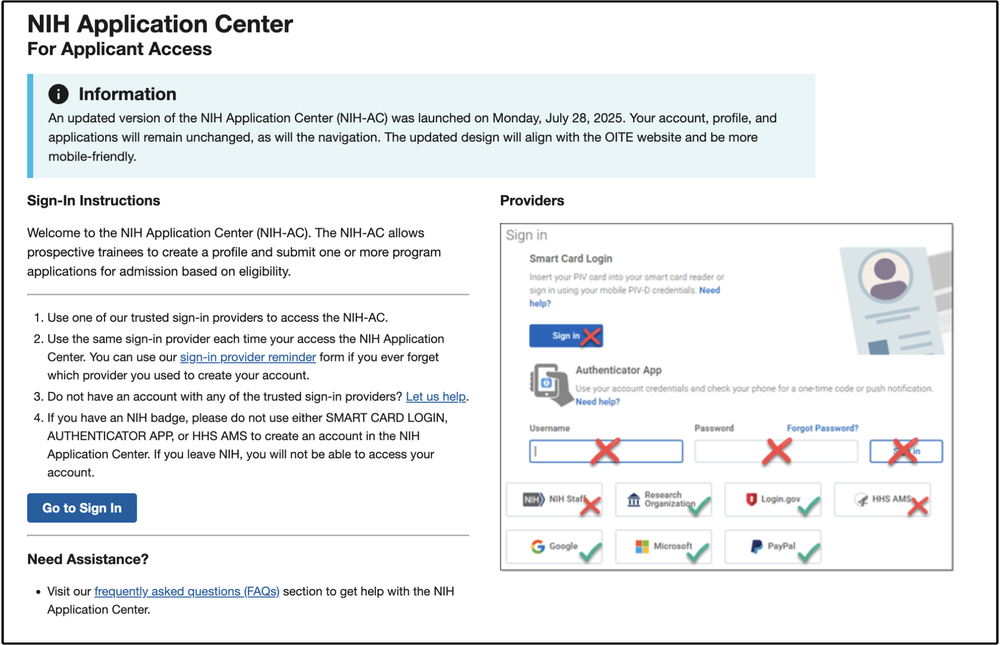
Image - NIH-AC landing page
2. Create a new account or login to an existing one
If you have an existing NIH-AC account, you can receive a reminder with the appropriate login credentials (left). If you do not already have an account, you will need to create one (right).
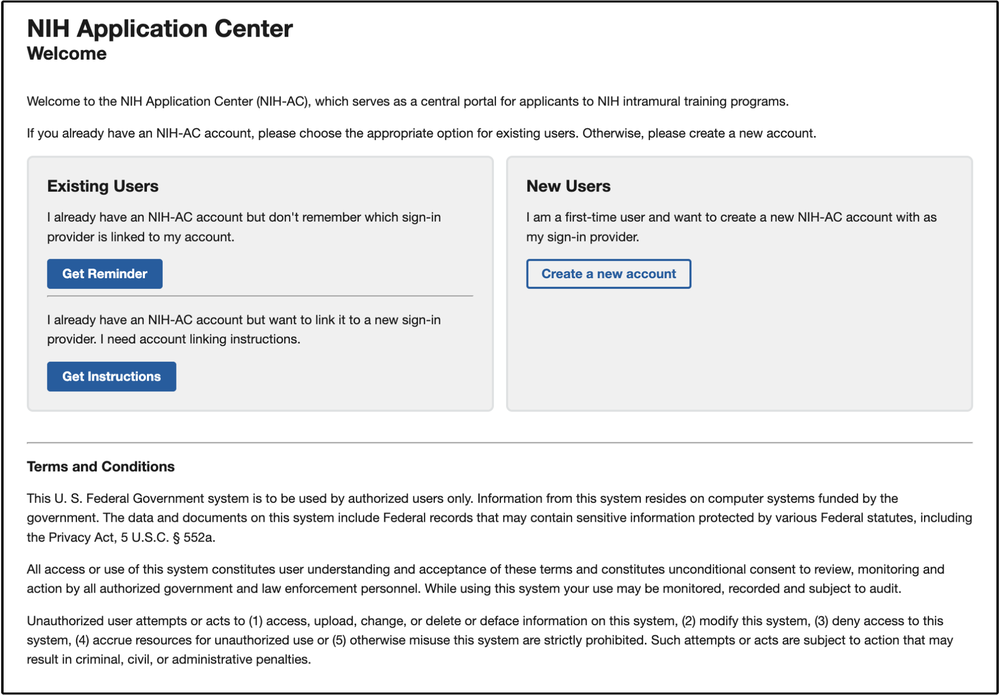
Image - access points for new users or existing users.
3. Add your information to the account form
You must provide your first and last name. Your sign-in provider will load your personal email.
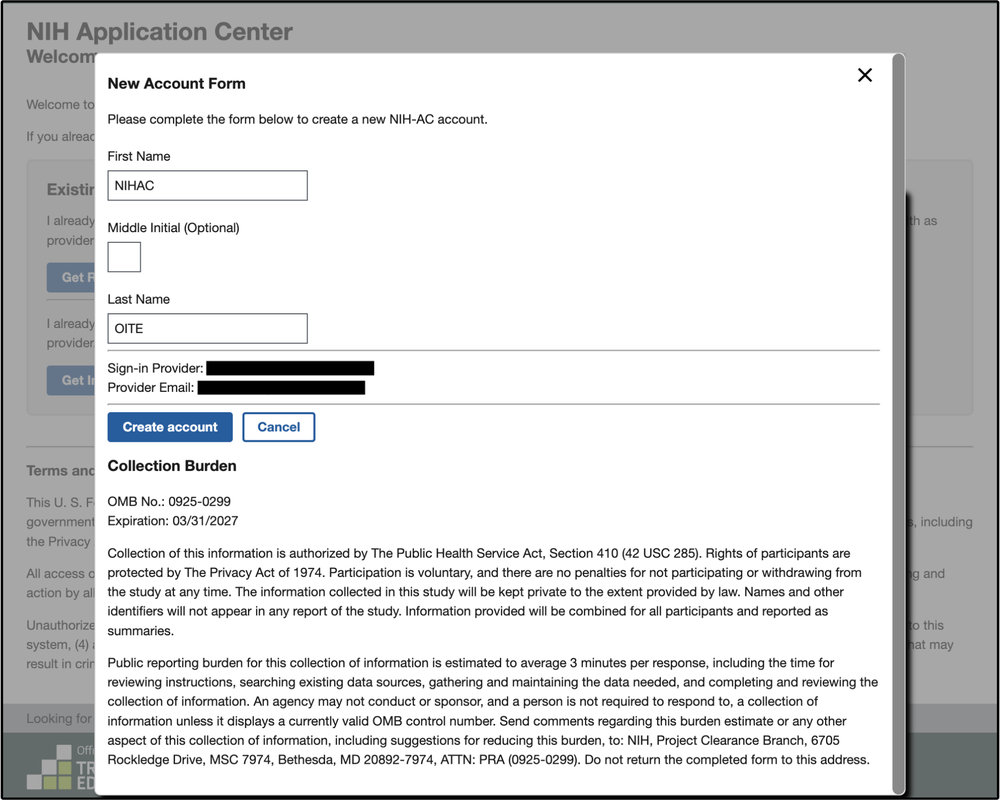
Image - form to create an NIH-AC
4. Confirm account creation
An email will confirm your NIH-AC account creation. You will need to click the link to sign in and create your profile.
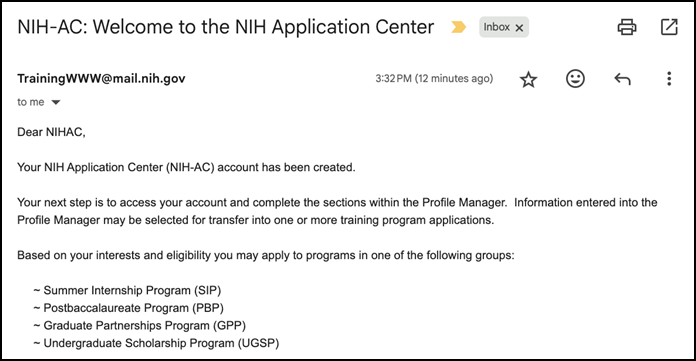
Image - an example welcome email.
Create a profile
1. Begin creating your profile
Your profile stores demographic information about you that can be transferred to a fellowship application for admissions consideration. Updates to the profile section will not automatically synchronize with your program applications.
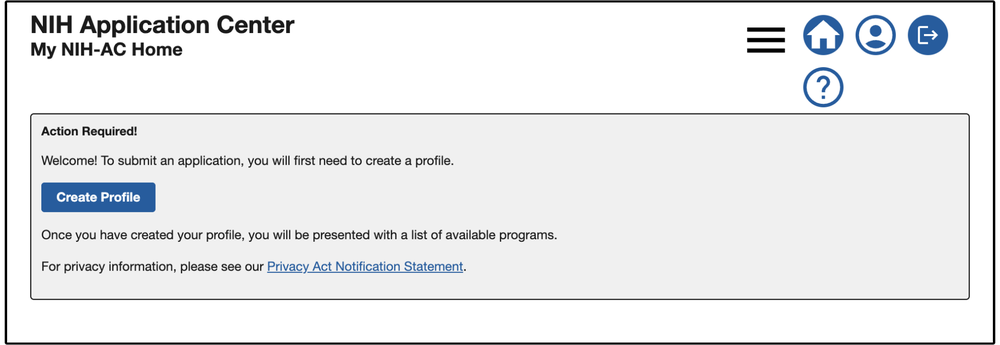
Image - the NIH-AC profile creation page.
2. Enter relevant information
The following information can be stored in the profile. These are used to determine an applicant's eligibility for specific programs. You may utilize the optional fields at your convenience. This provides a centralized location of key information.
Required: contact information, address information, citizenship, education level, & education experience
Optional: coursework, references, & CV/Resume
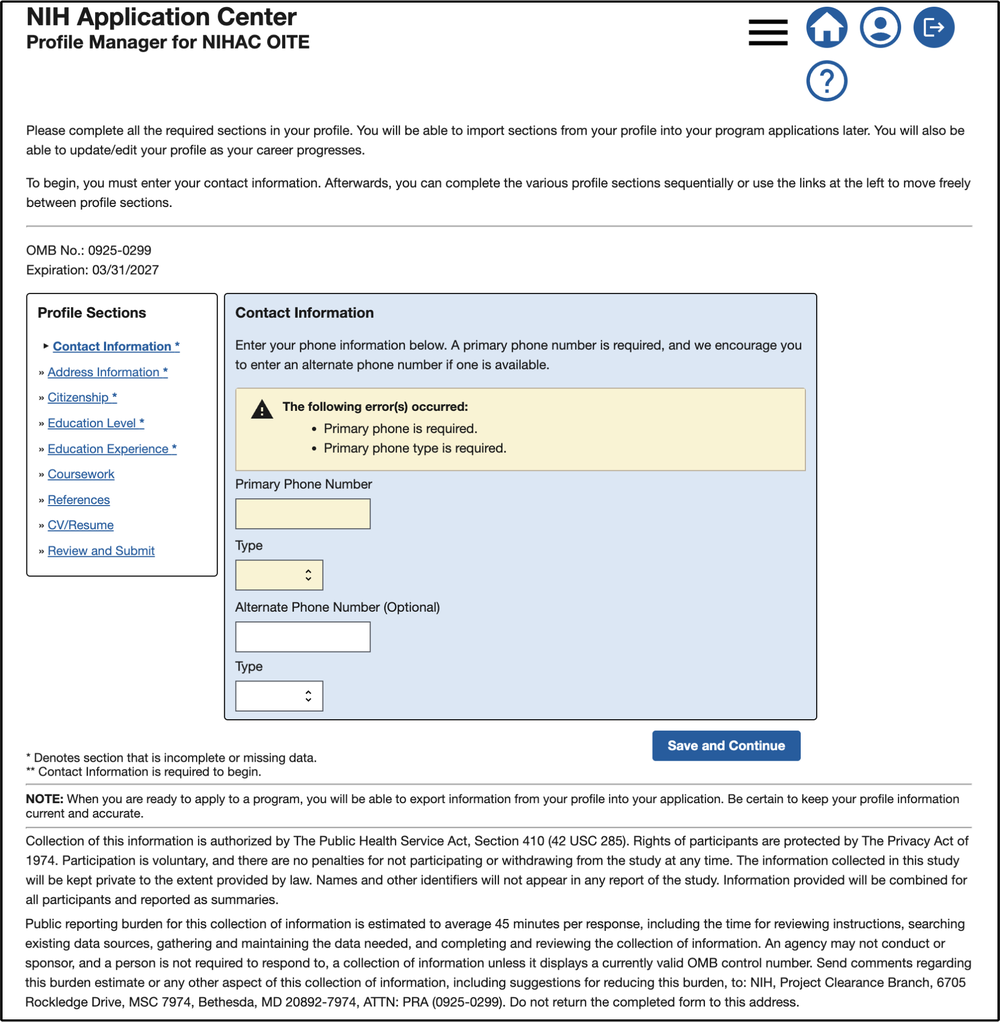
Image - information stored within the profile manager.
3. Review and submit
Once your information has been entered into the profile, you will need to review it before you can press "Submit". Remember, the profile is not an application.
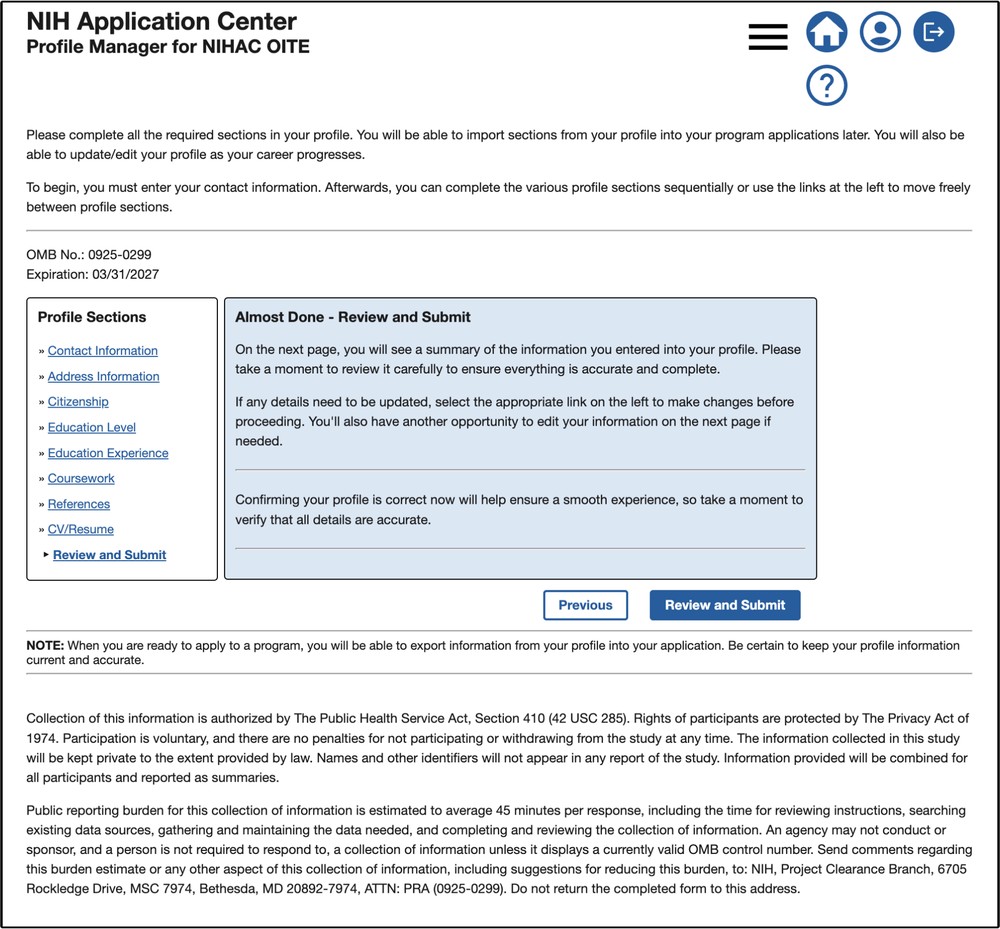
Image - review and submit your profile information.
Select, complete, and submit an application
1. Select your preferred program
You will need to select your preferred program group. This will give you access to a subset of training programs that you may be eligible for. From here, you can check your eligibility status, apply, or learn more about the program.
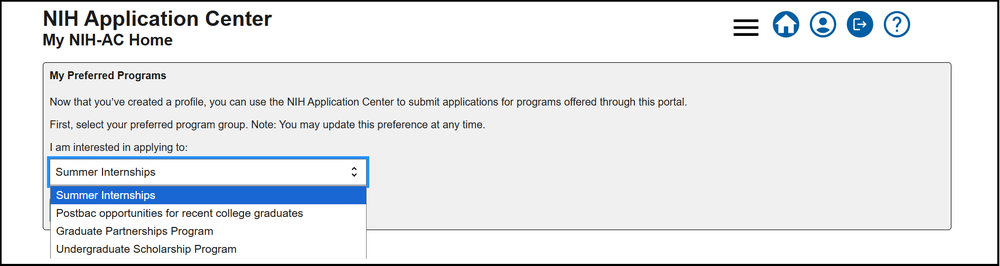
Image - dropdown of various program "groups".
2. Import profile information
The "import application" feature is designed to speed up the application process. Select "Import Now" to import this information into your application.
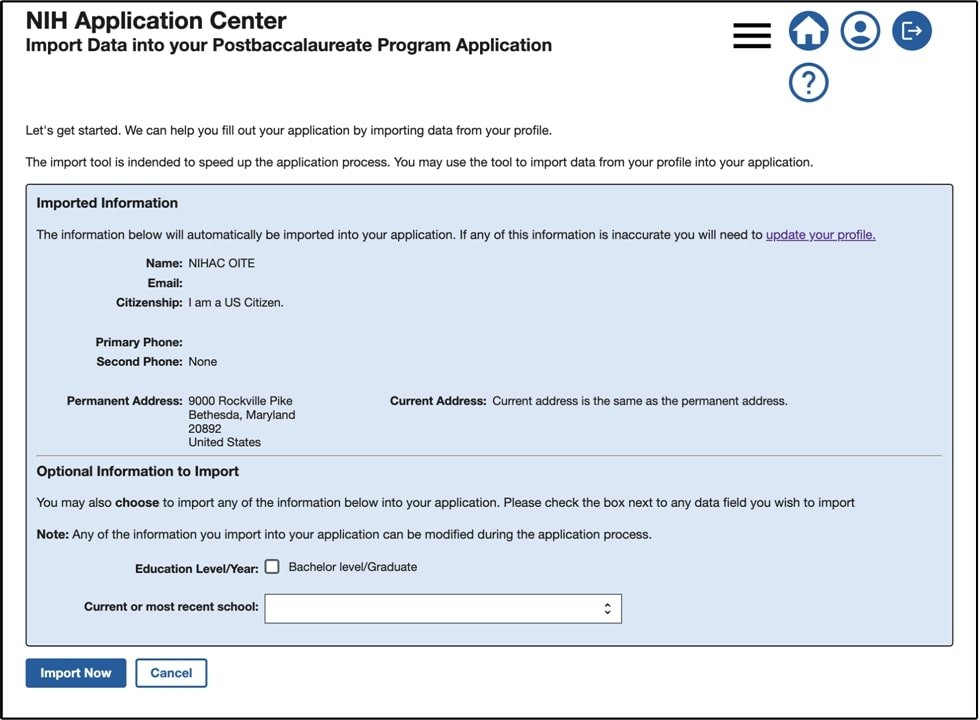
Image - import your profile information to the application.
3. Complete and review your application.
Visit each program's page to learn more about eligibility:
- Graduate Partnership Program (GPP) Institutional Partnerships
- Postbac Program
- Summer Internship Program
- Undergraduate Scholarship Program
Additionally, check out out extensive frequently asked questions list to support you in the application process.
4. Submit your application
Before your references can submit their letters, you will need to submit your application. Once you submit, your application status will be marked as one of the following:
- Active: applicant submitted their application for admission consideration
- Complete: applicant submitted their application and all recommendation letters have been received
- Accepted: applicant received an offer of admission
- Withdrawn: application has been withdrawn from admission consideration
- Incomplete: applicant has not submitted their application for admission consideration.
Ready to begin?
Please return to this page if you have difficulty navigating the application process.
Have questions or concerns?
Contact our NIH-AC team at [email protected].

