
Sign in and access the OITE Learning Manager
You will need to use your NIH PIV card to sign into the OITE Learning Manager platform, which hosts a suite of learning opportunities offered by the OITE.
On this page
Access via an email notifying you of enrollment
1. Find your enrollment email
Once you are enrolled in a course/learning path in the OITE Learning Manager, you will receive a message that contains a link to the course or program. Click on the link to begin the log in process.
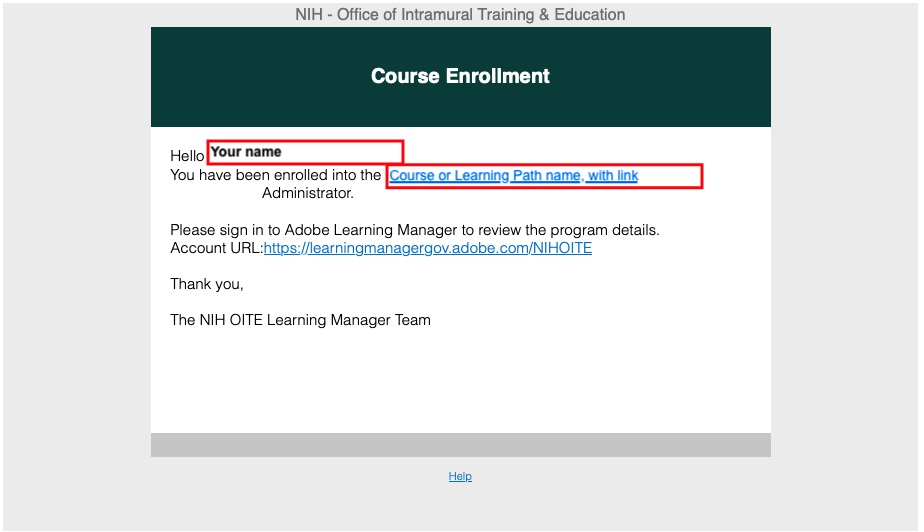
An example course enrollment email.
2. Sign in to Adobe
Type your NIH email address into the 'Email address' box and click 'Continue.'
You must use an email alias ending in @nih.gov. For most people this is a combination of their first name or initial and last name. For example, Ima Trainee might use '[email protected]' or '[email protected]. Whatever it is, it must have @nih.gov. Using @mail.nih.gov or @(your IC).nih.gov will not work.
Do NOT continue with Google, Facebook or Apple. Only your NIH email is registered for access.

Adobe's home page
3. Log in to the NIH Single Sign On (SSO) using your NIH PIV card
Ensure your PIV card is connected to your computer and enter your passcode to sign in.

NIH Single Sign On (SSO)
4. Complete your OITE Learning Manager profile
If you haven't signed into the OITE Learning Manager before, it may ask you to complete your profile by selecting your Role, Institute or Center, and HHS ID. Enter this information before continuing to the OITE Learning Manager.
Access via a self-registration link
1. Find your self-registration link
Select one of the following links based on your current role:
2. Sign in to Adobe
Type your NIH email address into the 'Email address' box and click 'Continue.'
You must use an email alias ending in @nih.gov. For most people this is a combination of their first name or initial and last name. For example, Ima Trainee might use '[email protected]' or '[email protected]. Whatever it is, it must have @nih.gov at the end. Using @mail.nih.gov or @(your IC).nih.gov will not work.
Do NOT continue with Google, Facebook or Apple. Only your NIH email is registered for access.
Adobe's home page
3. Log in to the NIH Single Sign On (SSO) using your NIH PIV card
Ensure your PIV card is connected to your computer and enter your passcode to sign in.
NIH Single Sign On (SSO)
4. Complete your OITE Learning Manager profile
If you haven't signed into the OITE Learning Manager before, it may ask you to complete your profile by selecting your Role, Institute or Center, and HHS ID. Enter this information before continuing to the OITE Learning Manager.
Access issues + what to do
Error 1 - "No user found"
Error text: "No user found for the given adobeId email in this account. Please link your adobeId to your prime account before logging in. accountId = 163."
If you encounter this message on the OITE Learning Manager home screen after logging in with SSO, reach out the reach out to [email protected] and let us know your alternative PIV card alias needs to be added to as a user.
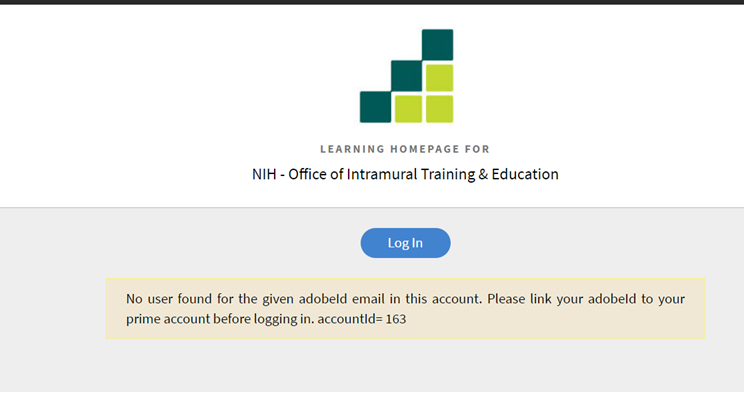
NIH Learning Manager home page error
Error 2 -"You do not have access to this service."
Error text: "You do not have access to this service. Contact your IT administrator to gain access or sign in with an Adobe ID."
If you encounter this message on the Adobe sign in screen, try your other NIH email address to sign in. If that doesn't work, reach out to [email protected] for further instructions.
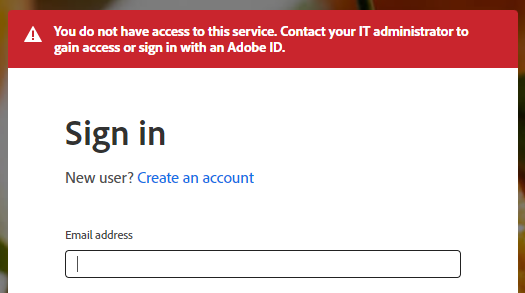
Adobe sign in page error
Error 3 - "I can log in, but I don't see my program"
If you can log in to the OITE Learning Manager but don't see the program you are looking for, please reach out to reach out to [email protected] and let us know which program or course you are looking for in the OITE Learning Manager.
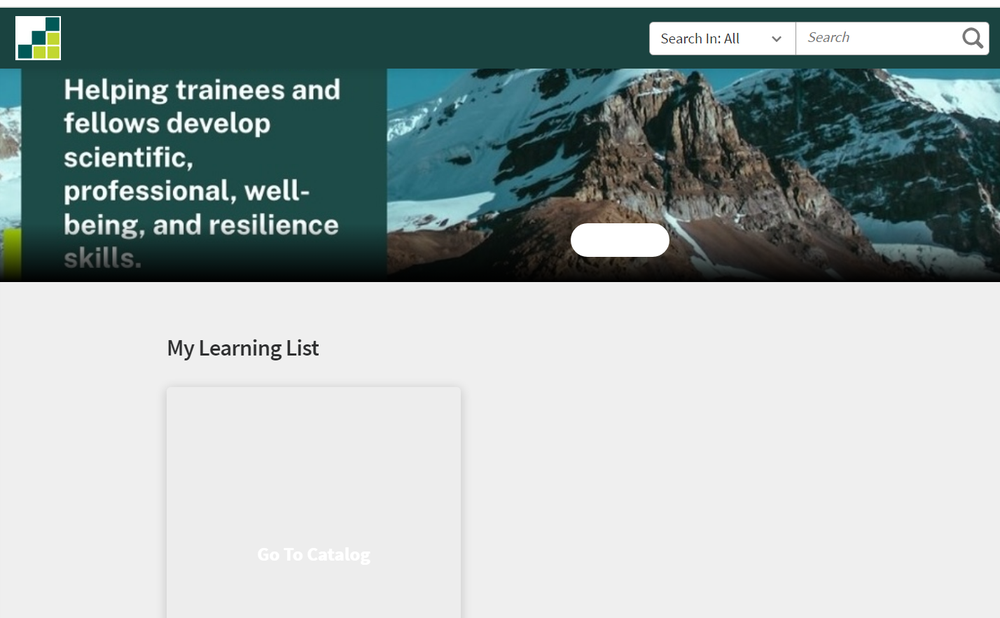
Image of a user's OITE Learning Manager home page.
Contact us
Reach out to us at [email protected] with questions.

